- The Prohuman
- Posts
- 🤖 Create Memes using ChatGPT-4 plugin
🤖 Create Memes using ChatGPT-4 plugin
You can create hilarious 🤣 memes in seconds with ChatGPT


Hasan Toor & Ihtesham Haider
June 03, 2023

👋 Hello, and cheers to the end of the week:
Today marks the half-year anniversary of ChatGPT, which has transformed industries far and wide in unimaginable ways.
Now, we should say farewell to meme artisans! Because ChatGPT is making memes humor hot and fast!
In this The ProHuman post:
✅ Install the ChatGPT plugin called “Meme Creator“
Use it to generate funny memes 🤣
🛠️ Powerful AI tools you should know if you run a business
Read time: 3.5 mins
Installing ChatGPT plugin “Meme Creator“
To install “Meme Creator “ or any plugin you will need to enable plugins in the beta features of ChatGPT settings.
Here’s how to do it:
Open ChatGPT & click on your profile and you’ll see “Settings“ Click on it.

Now click on “Beta features“ and enable “Plugins“.

ChatGPT plugin store:
Go to your home screen of ChatGPT and select “GPT-4“ then click on “Plugins“
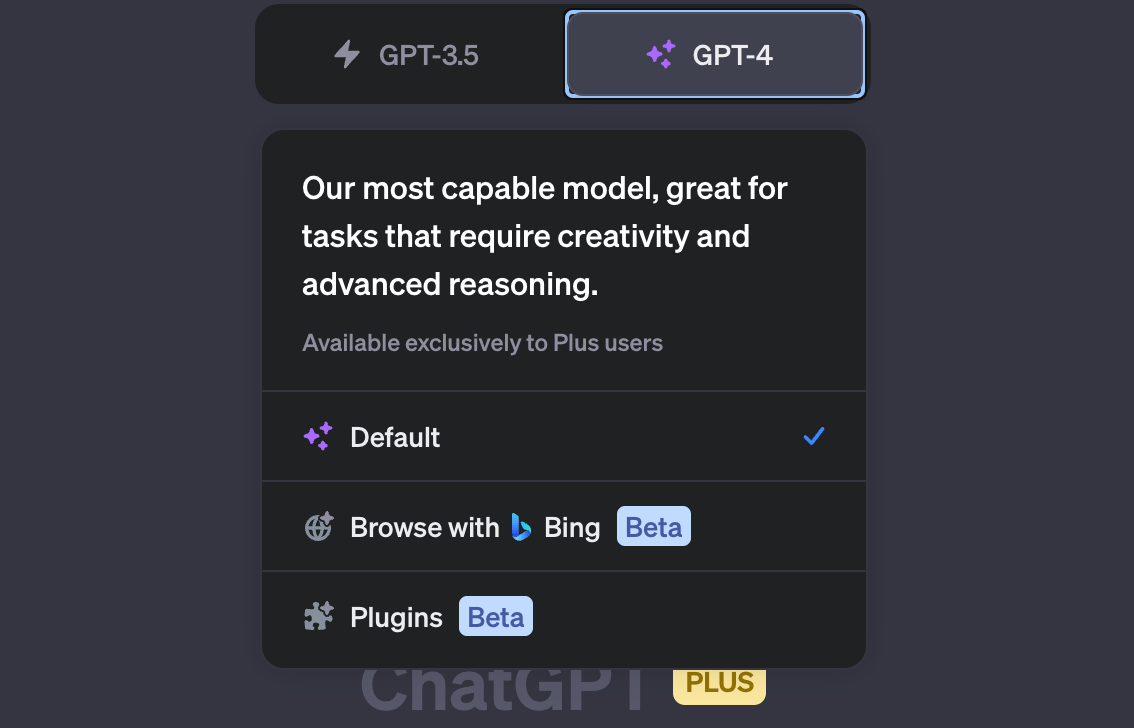
Search “Meme Creator“ in ChatGPT (Search is a new update from ChatGPT) and install it.

from our sponsor:
AI won’t take your job. Someone using AI will. Best time to level up? Yesterday. Second best? Right now.
Luckily, there’s Brilliant — the interactive app that makes it easy to master concepts in math, data, and computer science in just minutes a day.
Here’s how:
They have thousands of lessons on tons of topics — from AI and neural networks to data science.
They break down complex concepts into digestible building blocks that stick.
Their interactive style keeps you engaged, so it’s easy to build a daily habit.
Join over 10 million people around the world and start building skills in minutes a day. You can try everything Brilliant has to offer for free for a full 30 days. Plus, right now you can get an exclusive 20% off an annual premium membership.
🙈 Meme Creator:
Click on plugins and select “Meme Creator“:
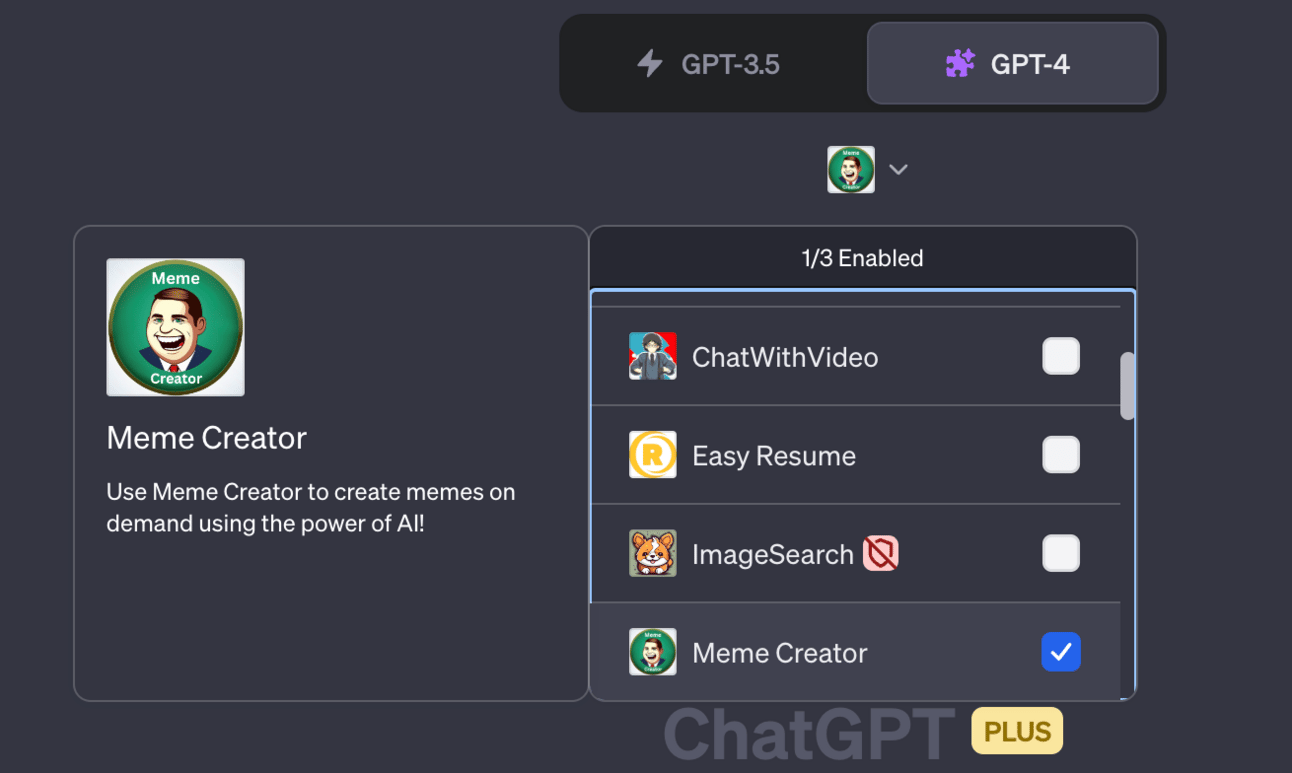
Here’s how to use it:
The usage is super simple and anyone can use and generate funny memes in a split second.
What it can do:
Generate 100+ style memes - Cat meme, Oprah meme, Elon meme, and every popular meme with your provided information.
Edit the text on the meme.
Change the style as many times as you want.
Meme generation:
I generated this:
Prompt: “Create a meme. Context: Elon doesn’t tweet for 2 days. When he finally tweeted the fans reaction“

(I don’t know memes and if I knew it could generate a specific type of meme)
If you know a meme then add it and it will generate it for you.
Here’s what you should do to generate memes:
Write a short specific prompt like “Create a meme.“ this is a command to “Meme Creator“ to create a meme.
Provide a context like “Elon doesn’t tweeted for 2 days…“
Change the text and template:
First, let’s change the text.
Write a prompt:
“First text: [add the text]
Second text: [add the text]“
For example:

(Not chnage but “Change“ 😐)
Now let’s change the template of the meme:
Prompt: “Change the template to [add funny, curious, mad, angry etc]“

This is how you can generate 100s of memes using the ChatGPT plugin “Meme Creator“.
You can use the website version of this tool here Imgflip - Create and Share Awesome Images
🛠️ Powerful AI business tools
Text Blaze - AI Tool to eliminate repetitive typing and mistakes Link
Loopin - Loopin is the perfect AI meeting assistant Link
Lovo - Best AI Voice Generator & Text to Speech platform Link
System Pro - The gold standard AI tool for scientific research Link
Durable - AI website builder Link
Topapps - Top AI Tools Store Link
Finalscout - Outreach Tool for LinkedIn Link
Yatterplus - AI Assistant for WhatsApp Link
StockIMG AI - Generate AI Design Link
KickResume - AI Resume Builder Link
🐦Tweet of the day:
ChatGPT can now create memes for you.
Create memes in seconds with the ChatGPT-4 plugin.
Here's your quick guide to meme mastery:
— Hasan Toor ✪ (@hasantoxr)
12:57 PM • Jun 3, 2023
Thanks for your time.
We hope you find this helpful and funny.
And have a great weekend! 😃